
The data room is a system of evidence
An investor should be able to trace a key assumption from the executive summary to the model and then to a document. Name files consistently and keep dates, revisions and authors visible. A large folder without an index creates more work rather than more confidence.
Use the advisory-scope page to identify which decision each data-room item supports. Continue with the capital-raising process only after distinguishing documented evidence, a working assumption and an unanswered question.
Organize around the financing questions: ownership, permissions, resource and technology, construction, revenues, operating costs, environmental and social obligations, insurance, funding and legal arrangements.

Read the diagram as text
Project: Rights · resource · stage → Commercial: Offtake · delivery · costs → Evidence: Model · permits · diligence → Capital: Mandate · terms · closing
Core evidence register
| Ownership and structure | Company chart, shareholder documents, asset rights and existing encumbrances. |
| Development rights | Land arrangements, concessions, licences, permits and grid applications. |
| Technical | Studies, design basis, resource evidence and independent review. |
| Commercial | Offtake, supply, construction, operations and key service contracts. |
| Financial | Integrated model, funding schedule, assumptions, sensitivities and accounting support. |
| Environmental and social | Applicable assessments, management plans, consultation and outstanding conditions. |
Track gaps openly
For each missing item, record the owner, expected date, reason for delay and financing consequence. Distinguish documents not yet issued from documents that do not apply. Silence is not evidence of completion.
A permit application and an issued permit belong in different statuses. A draft contract and an executed agreement are different evidence. Keep the decision state visible to avoid accidentally presenting a project as more advanced than it is.
Test consistency before opening access
Reconcile capacity across the technical report, application, contract and model. Reconcile construction dates with permissions, procurement and capital requirements. Check units and currencies throughout the package.
Use a version register and a change note when a new model is uploaded. If a downside issue materially changes the economics, surface it in the summary rather than relying on an investor to find it in a technical appendix.
Funding-readiness checklist
Mark only items supported by evidence. This records document coverage, not creditworthiness or funding approval.
Sources & further reading
Source dates and reporting periods apply. External publishers do not endorse this website.
Build an evidence pack around one financing question
A data room is easier to review when its index explains why a document matters. Begin with one question a financing discussion must resolve, then connect the model assumption, evidence and outstanding action. This worksheet is an preparation aid. It is not a lender's complete due-diligence list or a financing approval.
Start with an answerable question
For a fictional solar project, ask: “What evidence supports the date used for grid-connected revenue in the model?” That question can involve the connection process, construction schedule and commercial arrangements. Separate facts already documented from assumptions still awaiting review. An attractive forecast chart should not make an application look like an issued permission.
The World Bank's PPP structuring guidance links commercial terms and risk allocation to feasibility information. Its framework concerns PPPs; a private renewable-energy project may have a different structure. The evidence pack below is our own organisational proposal, using the broader principle that a responsibility, risk or revenue assumption should be traceable to supporting information.
Give each piece of evidence an identity
Use an index with document ID, question answered, issuer, date, revision, status, location and reviewer. In the fictional example, GRID-01 is a submitted application, SCHED-02 is a draft construction schedule and REV-03 is the relevant model tab. Mark all three as illustrative. None establishes an actual project, transaction or ReEx achievement.
Distinguish missing, draft, submitted, issued and executed where those terms apply. Add “not applicable” only with a reason and reviewer. Record the document's actual date; a review performed in 2026 does not turn an old permit into a new one. If a superseding version arrives, retain the relationship between versions and explain which assumption changed.
Make a gap actionable
A useful gap says more than “grid document needed.” Write who must obtain it, the expected evidence, the next review date and the consequence for the model. For example: “Training gap G-01: no confirmed connection date; project development lead to request clarification; revenue-start assumption remains provisional.” This makes uncertainty visible without pretending that a checklist resolves it.
Reconcile units and scope across the pack. A capacity number can refer to different physical boundaries; compare those boundaries before treating the values as inconsistent. Match project entity, location, currency, schedule and revision where relevant. Put an unresolved mismatch into the summary so the reviewer does not have to discover it in an appendix.
Control access without hiding uncertainty
Before sharing documents, classify confidentiality, personal information and permitted recipients. Use redacted copies or controlled access where needed. The local note builder below needs no uploads and should contain anonymised references only. It stores no files and makes no request for financing. Keep the actual evidence in your controlled repository.
Finish the pack with a dated cover note: what is supported, what remains provisional, who will resolve each gap and which decision the recipient is being asked to consider. Readiness for that discussion is narrower than technical, legal or credit approval.
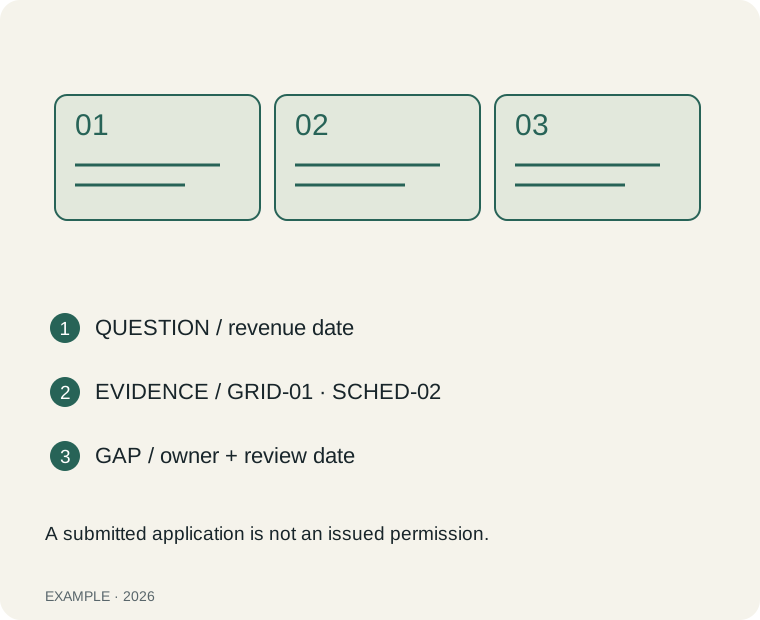
Steps: QUESTION / revenue date. EVIDENCE / GRID-01 · SCHED-02. GAP / owner + review date. A submitted application is not an issued permission.
Try the local worksheet
Inputs stay in this page and are not sent or stored. Use anonymised examples. No account is needed.
This worksheet needs JavaScript. You can still read the evidence checklist above.
Download the blank worksheet and worked example ↓